Extron electronics FPC 5000 Instrucciones de operaciones Pagina 12
- Pagina / 60
- Tabla de contenidos
- MARCADORES

- FPC 5000 1
- Precautions 2
- Table of Contents 3
- Table of Contents, cont’d 4
- Chapter One 5
- Introduction 6
- Computer 7
- Projector 7
- BME COMM 7
- Interconnecting 7
- Introduction, cont’d 8
- Chapter Two 9
- Installation Overview 10
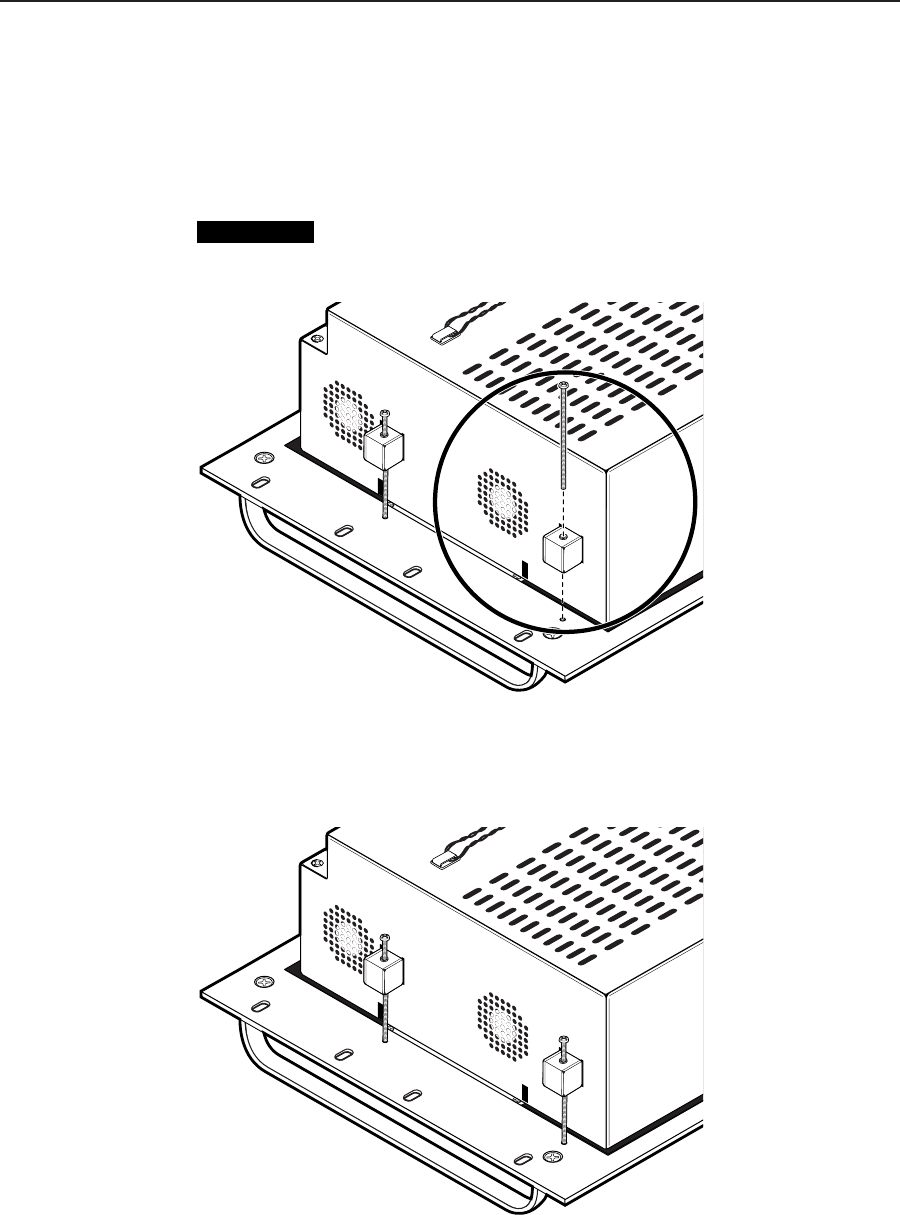
- Mounting 11
- Rear Panel Connections 13
- Matrix 12800 14
- Crossover Cable 14
- 1Pins 2345678 16
- MATRIX SWICHER CONTROLLER 17
- Upgrading the Software 18
- EXT. FDD 19
- MOUSEK/B 19
- Chapter Three 21
- Matrix 12800 Operation 22
- Using the keypads 23
- Using on-screen scroll boxes 23
- Demo Mode 27
- Navigating the Screens 27
- Make Ties 28
- Mute Screen 28
- DSVP Screen 28
- User Screens 30
- Creating ties 34
- Preset screens 37
- Name a global or room preset 39
- Mute screen 40
- DSVP screen 41
- Admin Screens 42
- Remotes screen 43
- TCP/IP screen 44
- E-Mail screen 46
- Mail Server IP Address field 47
- Mail Server Password field 47
- E-mail Addressee fields 47
- Miscellaneous screen 48
- File Manager screen 49
- Function Keys screen 50
- Setup Screens 53
- Delay screen 54
- Audio screen 55
- Reset screen 56
- Blank button 56
- Subnetting — A Primer 57
- Extron’s Warranty 59
- Extron Electronics, USA 60
- Extron Electronics, Europe 60
- Extron Electronics, Asia 60
- Extron Electronics, Japan 60
Relacionado con productos y manuales para Accesorios De Panel Plano Extron electronics FPC 5000
 (6 paginas)
© 2020, manymanuals.es. Todos los derechos reservados | 0.032 s |
 Manymanuals.com
 Manymanuals.de
 Manymanuals.fr
 Manymanuals.it
 Manymanuals.pl
 Manymanuals.cz
 Manymanuals.es
 Manymanuals-pt.com
Comentarios a estos manuales